Framer guide
Router for Framer: send every visitor the right way
A French visitor lands on your English homepage. A mobile visitor gets your desktop layout. A US shopper sees EU pricing. Framer can't fix this on its own, its redirects are the same for everyone. Router adds routing based on who the visitor is. Here's what it does, and when it's actually worth adding.
Why Framer can't route by visitor
Framer's built-in redirects map one path to another, the same rule for every visitor, so they can't send a French speaker to /fr or a mobile user to a lighter page. Localization gives you translated pages, but nothing that routes a visitor to the right one. Anything that reacts to where a visitor is, or what device or language they use, has to run per visit, which is exactly the gap Router fills.
What Router does
Router lets you stack redirect rules that are evaluated for each visitor, on the server, the moment the page loads. Each rule matches on one or more signals and sends (or offers) the visitor a destination. Rules run top to bottom, and the first match wins.
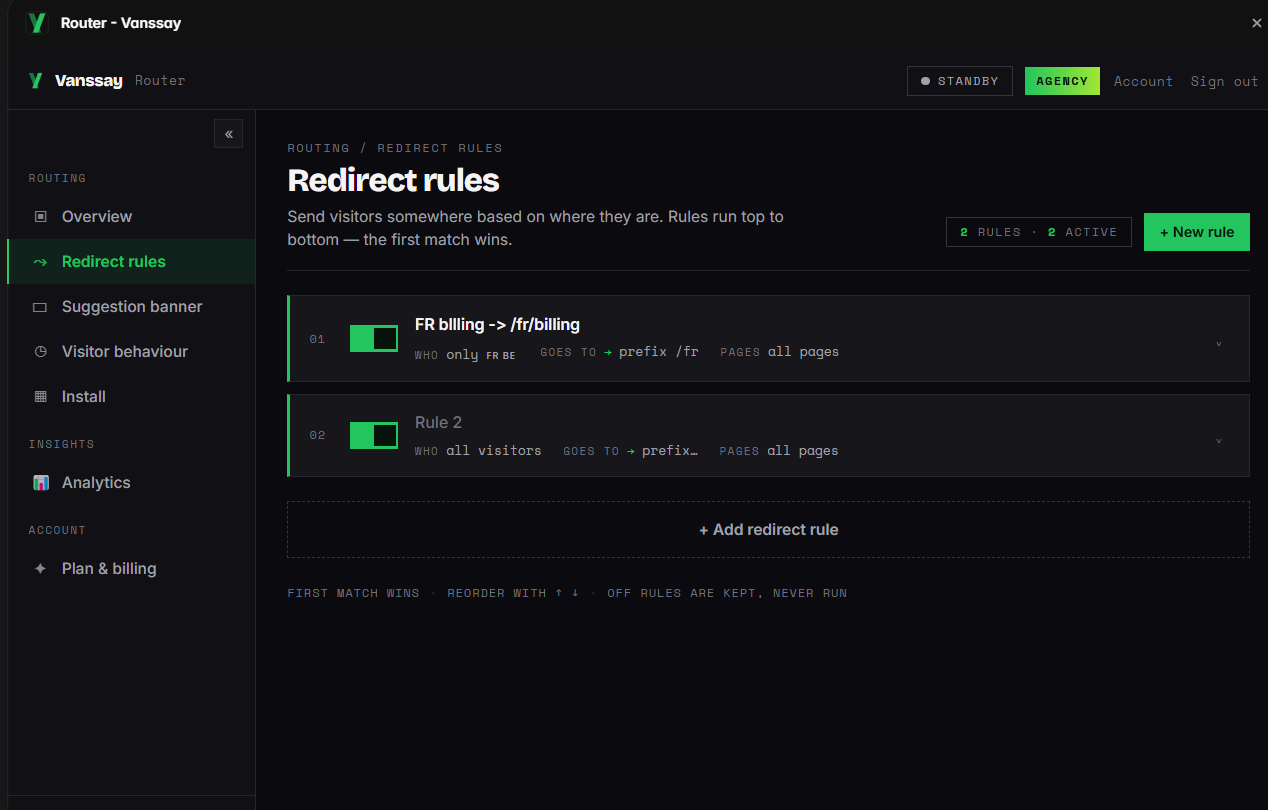
You can match on:
- Country or region, send France to
/fr, or the DACH region to/de. - Browser language, often the better signal for choosing a language version than country.
- Device, route mobile and desktop visitors to different pages.
- VPN / proxy, treat anonymised traffic differently.
Every decision is made server-side from the real IP, so there's no flash of the wrong page, no API key sitting in your published source, and nothing for a visitor to tamper with. There's also a built-in test console: preview exactly which rule fires for any country, language or device without spinning up a VPN.
Suggest, don't force (the SEO-safe part)
A forced redirect is the wrong default for language and region: Google's own internationalization guidance recommends letting users and crawlers reach any version and suggesting the better one, rather than bouncing everyone automatically. Googlebot crawls mostly from US IPs, so blanket forced redirects can leave your other versions poorly crawled.
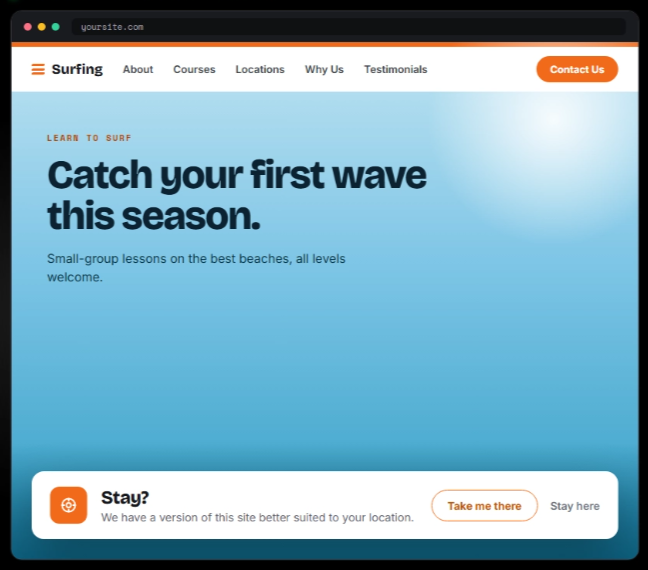
Router's answer is a small, dismissible suggestion banner ("It looks like you're in France, view the French page?") that auto-translates into the visitor's language and remembers their choice so they're never asked twice. You keep forced redirects for the cases that genuinely need them (a legally separate regional store, for example), and suggest everywhere else.
When Router is worth it
- Multi-language sites that want visitors on the right locale without an intrusive auto-redirect.
- Regional pricing or stores where US and EU visitors should land on different pages.
- Campaign landing pages that must keep UTM parameters intact through the redirect.
- Mobile-specific pages or apps you want mobile visitors sent to.
When you might not need it
Be honest with yourself first: if every visitor should see the same page, you don't need routing at all. If you only have one static path-to-path redirect, Framer's built-in redirect handles it. And if you're a developer comfortable running your own edge middleware (Cloudflare Workers, a reverse proxy), you can build this yourself, Router exists so you don't have to, and so it stays inside Framer with no code or DNS changes.
Routing vs. blocking
Router sends visitors somewhere; it doesn't keep anyone out. If your goal is to stop certain visitors from seeing the site at all, for licensing or compliance, you want country blocking with Bouncer instead. The two are often used together: route the markets you serve, block the ones you can't.
Common questions
Can I combine signals in one rule?
Yes. A rule can match country, region, language, device and VPN status together, so you can express things like "German speakers outside DACH → /de".
Does it work with Framer Localization?
Yes. Router just sends or suggests whichever locale URL you specify, including Framer's own localized paths.
Will my UTM / campaign parameters survive the redirect?
Yes, on paid plans Router can carry the visitor's query string onto the destination, so ad attribution keeps working.
Can visitors dodge a geo rule with a VPN?
Geo is IP-based, so a VPN can change what Router sees. On paid plans you can add VPN/proxy awareness to handle that traffic explicitly.
Sources: Google Search Central: locale-adaptive pages · Framer help.